Transcription Tips for Better, More Accurate Transcripts
Good transcripts start with more than good transcription. The quality of the final transcript also depends on the instructions you provide, the quality of the audio, the complexity of the recording, and the review process. Whether you need transcripts for interviews, meetings, podcasts, research, customer calls, or legal proceedings, a few simple steps can make […]
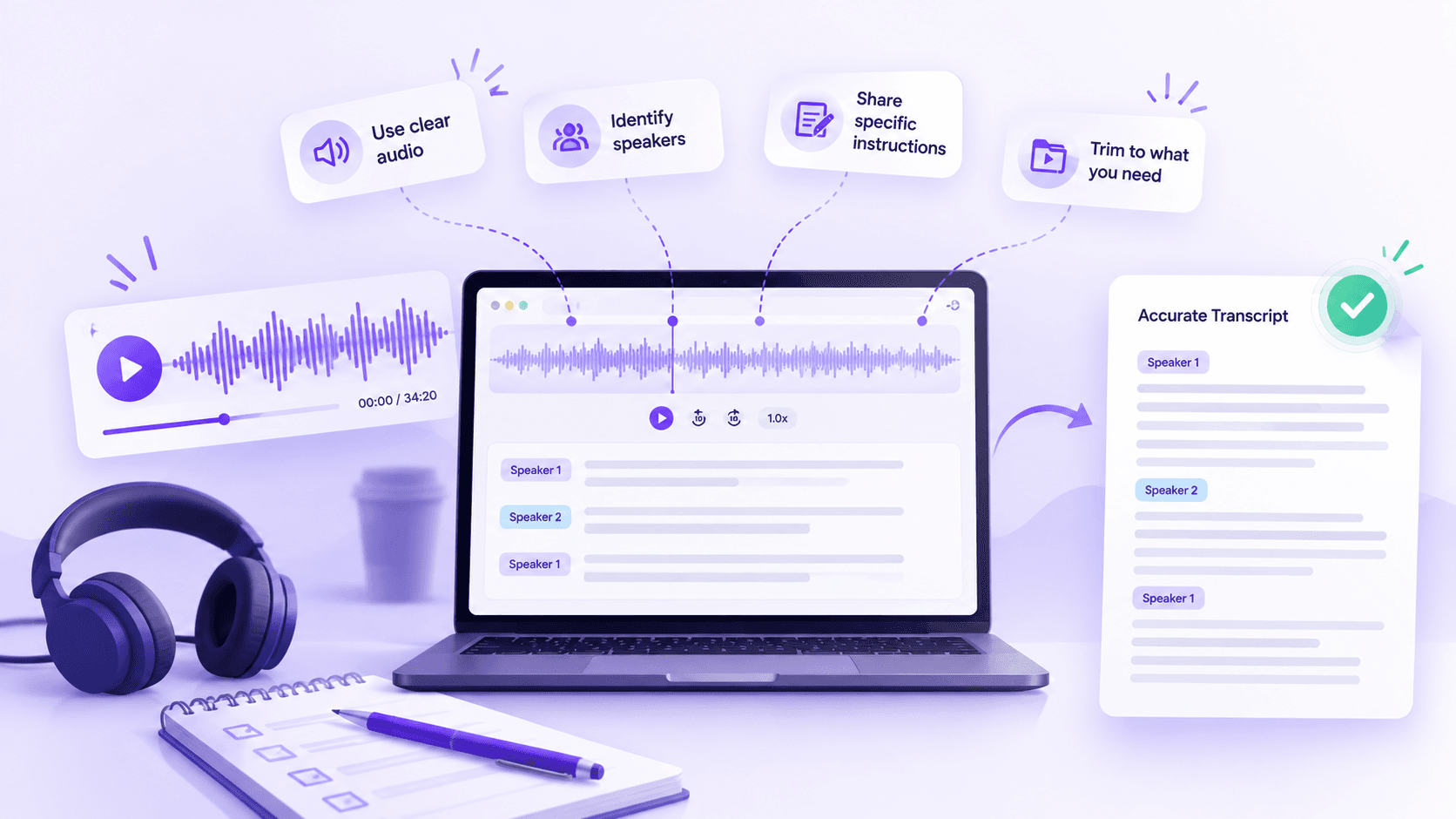
Good transcripts start with more than good transcription. The quality of the final transcript also depends on the instructions you provide, the quality of the audio, the complexity of the recording, and the review process.
Whether you need transcripts for interviews, meetings, podcasts, research, customer calls, or legal proceedings, a few simple steps can make the process more consistent.
These transcription tips will help you prepare your files, communicate what matters, and review the finished transcript so you get better, more accurate results.
What are the most important transcription tips for better accuracy?
The most useful transcription tips are surprisingly practical: provide clear instructions, share relevant context, upload the best audio available, and review the details most likely to cause errors.
Think of transcription as a process with three stages.
First, give the transcription team the information they need. Next, provide the clearest source material possible. Finally, review the finished transcript against the audio. In Scribie, those stages map to real steps: your saved instructions, the audio file you upload, and the online editor where you review the delivered transcript.
Each stage supports the next. Clear instructions help the transcriber know what to watch for. Better audio reduces uncertainty. A focused review catches mistakes that can still occur even when the source and instructions are strong.
The goal is not to make transcription complicated. Instead, it is to remove avoidable ambiguity before and after the file is transcribed.
How should you write transcription instructions?
One of the simplest transcription tips is also one of the most important: be specific.
Avoid instructions such as:
Please do it carefully.
That tells the transcription team very little.
Instead, explain exactly what you want. For example:
Use speaker names in bold. Start a new paragraph when the speaker changes. Use numerals for dates and numbers.
Your instructions might cover:
Formatting: Explain how you want paragraphs, numbers, dates, headings, and other recurring elements handled. If you have a specific layout in mind, you can also share a sample or style guide as a supporting document.
Punctuation: Note preferences for interruptions, false starts, incomplete sentences, or other recurring speech patterns.
Speaker labels: Specify whether you want full names, initials, roles, or another format.
Verbatim style: State whether you want a clean transcript or a more detailed verbatim transcript that preserves fillers and repetitions.
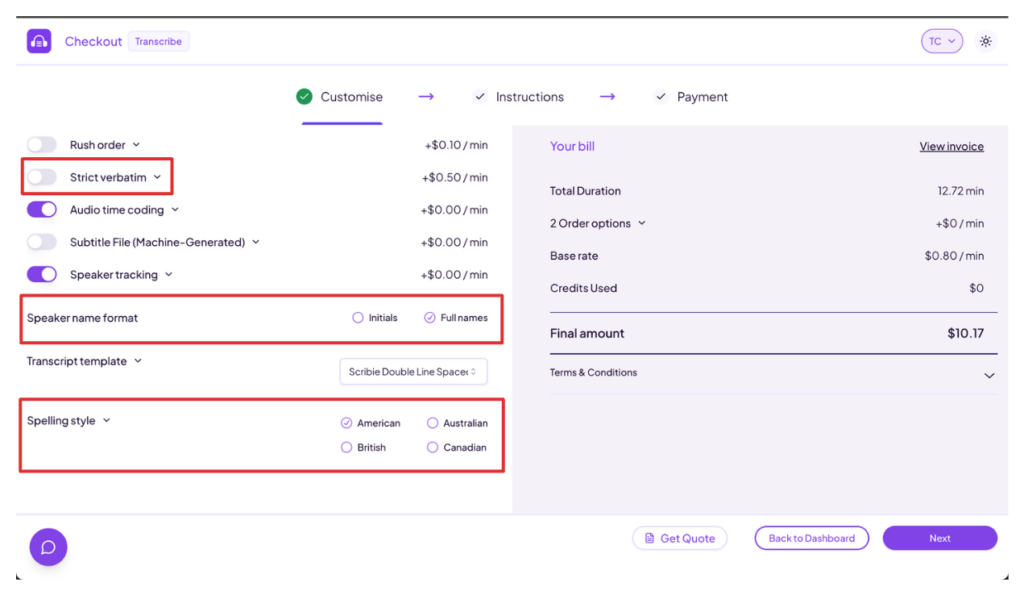
Scribie’s instruction fields prompt you for exactly this kind of detail — terms, acronyms, keywords, names of places, and speaker names.
Clear instructions create a consistent standard across your files. They also reduce the need to explain the same preferences every time you submit a recording.
What should go into your default transcription instructions?
Your default instructions should contain rules that apply to all or most of your files.
For example, you may always want speaker names formatted in a particular way. You may always use a certain date format. Or you may want a new paragraph whenever the speaker changes.
These recurring preferences belong in your default instructions because they establish your standard workflow.
Think about the rules you would want a transcriptionist to know before working on any of your files.
You might include:
- Preferred speaker-label format
- Paragraph and spacing conventions
- Number and date formatting
- Verbatim or clean-read preferences
- Rules for interruptions and false starts
- Formatting requirements that apply across projects
In Scribie, you save these once under Settings → Order Options, and they apply to every file automatically. Many common preferences are built-in options rather than free-text notes. For example, you can switch on Strict Verbatim to keep fillers like “um” and “uh-huh,” turn on Speaker Tracking and choose initials or full names, pick a transcript template (single- or double-line-spaced), and set your spelling to American, British, Australian, or Canadian. You can also add Audio Time-Coding, which places a timestamp before each paragraph, or request a subtitle file in .vtt and .srt formats. Anything a toggle does not cover — recurring names, terminology, or house rules — goes in the free-text Default Instructions box.
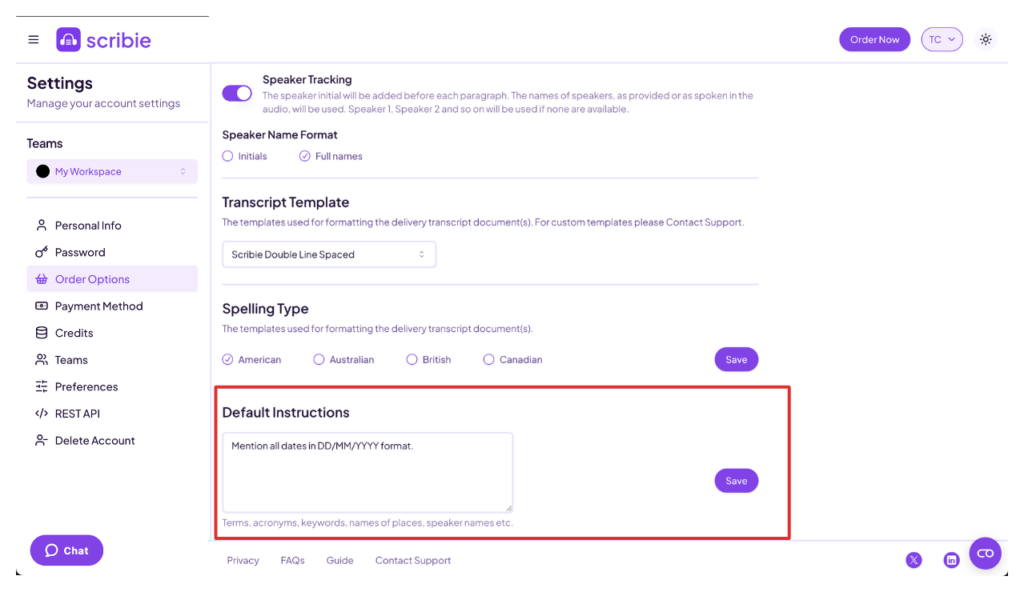
Once you establish these rules, you can reuse them rather than adding them to every file.
That consistency helps both the transcription team and the person reviewing the finished transcript.
What belongs in file-specific transcription instructions?
Not every recording needs the same information.
This is where file-specific instructions become useful. In Scribie these are called Special Instructions, and you can add them on the order checkout page for each individual file. They supplement or override your defaults for that one recording.
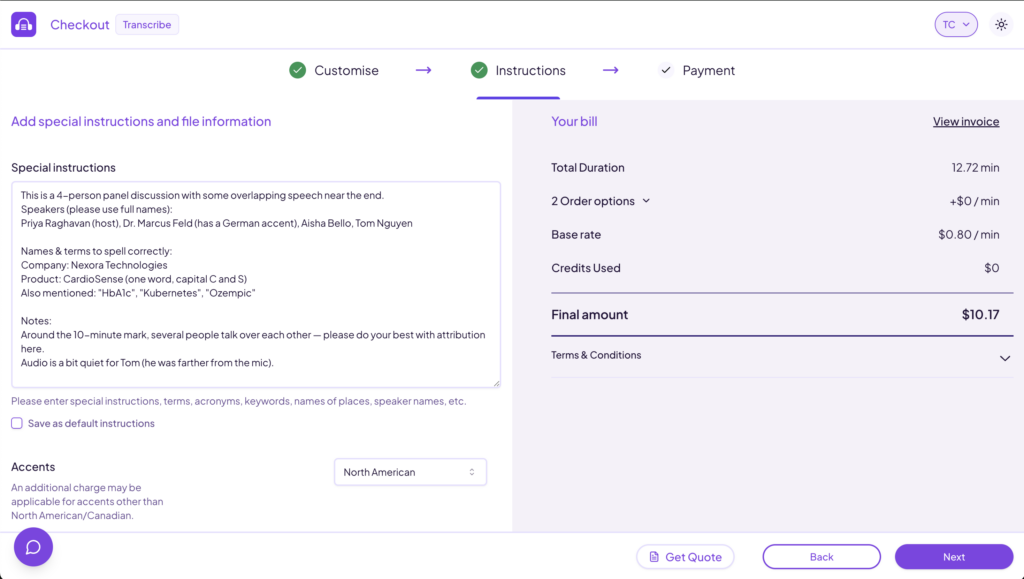
Use them for details that apply only to a particular recording. For example, you might need to provide the correct spelling of a person’s name, identify technical terminology, or explain that several speakers have similar voices.
Some useful examples include:
Names: List people, companies, products, locations, case names, or other proper nouns that appear in the recording.
Technical terms: Mention industry-specific vocabulary that may be unfamiliar to a general transcriptionist.
Accents: Flag speakers with strong or unfamiliar accents.
Multiple speakers: Explain when a recording has several participants, overlapping speech, or speakers with similar voices.
Special terminology: Include acronyms, abbreviations, foreign-language terms, or organization-specific language.
For example, a medical interview might include medication names that require careful checking. A legal deposition might contain attorney and witness names that need to appear consistently throughout the transcript.
These notes do not have to be long. A short list of important names and terms can be much more useful than a paragraph telling someone to “pay close attention.”
Why should you mention uncommon names and terminology?
Names and unusual terminology deserve special attention because they are difficult to infer from audio alone.
A speaker may mention a company that sounds like another word. A technical term may have several possible spellings. A person’s name may be uncommon enough that a reviewer cannot confidently reconstruct it from sound alone.
That is why one of the most practical transcription tips is to provide the correct spelling whenever you have it.
For example:
Speaker: Dr. Maya Venkataraman Company: Nexora Technologies Product: CardioSense
This gives the transcription team useful reference information and gives the reviewer something concrete to verify.
The same principle applies to case names, street names, product names, medical terms, scientific terminology, and industry-specific language.
A little context upfront can prevent repeated corrections later.
How much does audio quality affect transcription?
Another important transcription tip: upload the best possible audio.
The recording is the source for the entire transcript. When the audio is clear, it is easier to distinguish words, identify speakers, and understand context.
Poor audio creates uncertainty before transcription even begins.
Common problems include:
- Background noise
- Echo and room reverb
- Low-volume speakers
- Distortion
- Microphones placed too far away
- Poor call quality
- Multiple people speaking at once
You cannot always control the recording environment. A meeting may happen in a noisy room. A remote interview may have connection issues. A field recording may contain unavoidable background sounds.
However, you can control which version of the file you submit.
Whenever possible, use the original or clearest recording available rather than a heavily compressed copy. Scribie accepts common audio and video formats — including MP3, WAV, M4A, MP4, and MOV — so you can upload your original file without converting it first.
What should you do about accents and multiple speakers?
Accents and multiple speakers can make some recordings more challenging. The best approach is to provide context before transcription begins.
For a recording with several participants, provide a speaker list when possible. Include names, roles, and your preferred speaker-label format. That list pairs directly with Scribie’s Speaker Tracking, so the team knows which name to attach to each speaker label.
For speakers with noticeable accents, mention that in the file-specific instructions. If you already know that certain names or terms may be difficult to distinguish, include their correct spelling.
Also flag recordings with:
- Frequent interruptions
- Overlapping speech
- Interpreters
- Side conversations
- Speakers who sound similar
These details help the transcription team focus attention where it is most needed.
They also make the review process more efficient. Instead of discovering a potential issue after delivery, you have already identified the parts of the recording that deserve closer attention.
How do you verify a delivered transcript?
Once your transcript is delivered, you can open it from the Delivered tab in the editor. This step is about verifying the details — the work is already done, and you are simply confirming the parts that matter most to you.
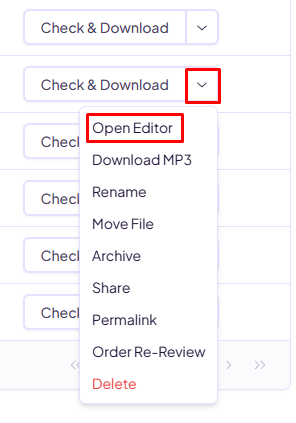
In the editor, you can listen to the audio while reading the corresponding text, so you can confirm both the wording and the context. You can adjust playback speed, rewind, and jump between synced timestamps to reach any moment quickly. Find & Replace lets you standardize a name or term across the whole file in one pass. If a speaker name or another mention has an unusual spelling, you can enter or correct it directly in the transcript. You can also highlight sections to flag them, use keyboard shortcuts to move faster, and export or download the transcript when you are done.
You do not need to check every section with the same level of scrutiny. Instead, use your instructions and knowledge of the recording to focus on the high-risk areas.
For example, if a file contains several unusual names, those names should become a priority when you verify.
How can you build a consistent transcription workflow?
The real value of these tips shows up when you turn them into a routine you barely have to think about.
Because Scribie saves your Default Instructions to your account, the hardest part — defining your standard — only happens once. After that, each new file needs just a quick note for anything unusual: a name, a term, or a difficult speaker.
As a result, your first order takes the most setup, and every order after it gets faster. Your instructions get sharper as you learn which details tend to trip up a recording, your audio habits improve, and your review focuses only on the parts that matter. Over time, accurate transcripts stop being something you check for and start being the default you expect.
Why Scribie?
Scribie combines technology with a human-in-the-loop transcription process. Technology helps make transcription more efficient, but trained human transcribers remain an essential part of the quality process.
Our transcribers work with a wide range of accents, terminology, speaking styles, and formatting requirements. That human judgment becomes especially valuable when recordings contain specialized language, multiple speakers, or unclear sections.
You also stay in control of the output — verbatim style, speaker-name format, spacing template, spelling convention, timestamps, and subtitle files are all yours to set. Scribie provides a 99%+ accuracy guarantee as well. That said, any transcript can only be as good as the audio and the context you provide — which is exactly why the tips above make such a difference.
Whether you need transcripts for interviews, meetings, podcasts, research, business, or legal proceedings, a strong workflow starts with clear instructions, good audio, and careful human review.
Contact Scribie to discuss your transcription requirements.
Comments (0)
No comments yet. Be the first to share your thoughts!